
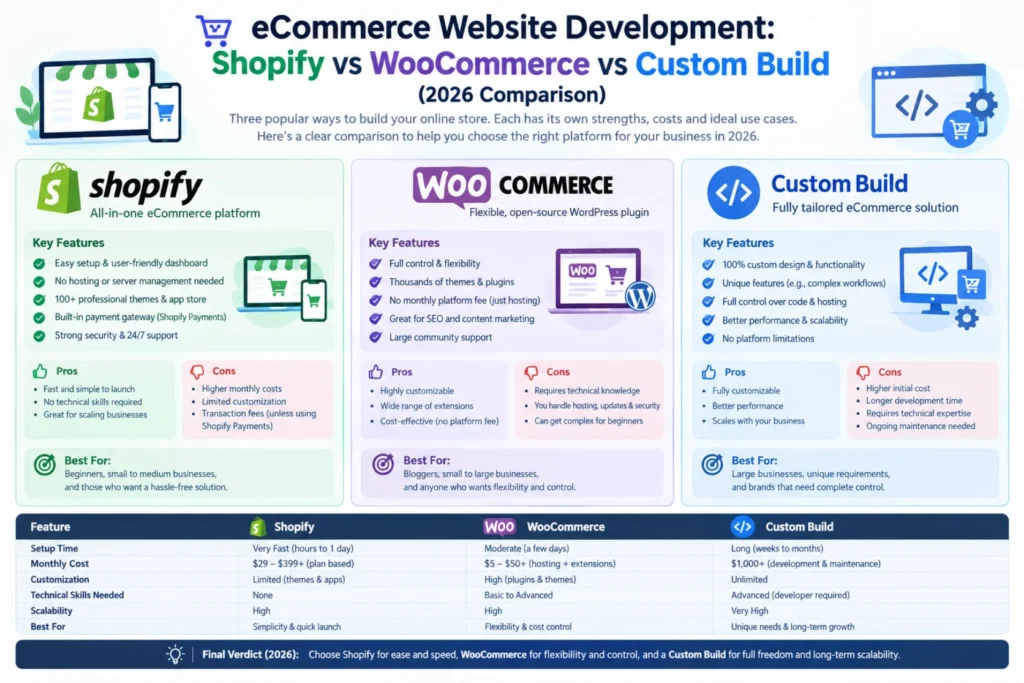
Shopify is the fastest way to launch with the least technical overhead, best for standard product catalogs under a few hundred SKUs. WooCommerce offers more flexibility and lower ongoing platform fees but requires more hands-on WordPress management. A custom build makes sense once you need workflows, integrations, or a scale that off-the-shelf platforms can’t handle cleanly.
Side-by-side comparison
| Factor | Shopify | WooCommerce | Custom Build |
|—|—|—|—|
| Setup speed | Fastest | Moderate | Slowest |
| Monthly platform cost | Fixed subscription + transaction fees | Hosting cost only, no platform fee | Hosting only, no platform fee |
| Design/feature flexibility | Limited to apps/themes | High, via plugins | Unlimited |
| Technical maintenance | Handled by Shopify | Your responsibility (updates, security) | Your responsibility, or a maintenance retainer |
| Best for | Standard product catalogs, fast launch | Content-heavy sites already on WordPress | Complex catalogs, B2B pricing logic, custom workflows |
| SEO/AEO control | Good, some template restrictions | Full control | Full control |
Shopify: best for speed and low technical overhead
Shopify handles hosting, security, and updates for you, which is genuinely valuable if you don’t have in-house technical support. The tradeoff is ongoing subscription and transaction fees, and less flexibility once your needs go beyond what the app ecosystem covers well — custom B2B pricing tiers, complex quoting logic, or unusual product configurations tend to hit walls here.
WooCommerce: best if you’re already on WordPress
If your business already runs its content and marketing on WordPress, WooCommerce keeps everything in one ecosystem and avoids platform transaction fees. The tradeoff is that you (or your maintenance provider) are responsible for security updates, performance, and plugin conflicts — WooCommerce sites that aren’t actively maintained tend to accumulate performance and security issues faster than Shopify equivalents.
Custom build: best once standard platforms become a constraint
Once you need things like tiered B2B pricing visible only to logged-in accounts, complex quote-to-order workflows, integrations with an ERP or internal inventory system, or a catalog large enough that off-the-shelf performance degrades, a custom build removes the ceiling entirely. It costs more upfront and requires a maintenance plan, but there’s no platform limitation to eventually outgrow.
How to decide
Ask three questions: How many SKUs, and how complex is your pricing logic? Do you need integrations beyond what app marketplaces offer? Do you have (or plan to have) technical support to maintain a self-hosted platform? If all three answers point toward “simple,” start with Shopify. If you’re already invested in WordPress and comfortable with maintenance, WooCommerce is efficient. If you’re hitting real limitations on either, a custom build is the long-term answer.
FAQ
Can I migrate from Shopify to a custom build later?
Yes, and it’s common once a business outgrows Shopify’s flexibility — but plan for a proper SEO-preserving migration rather than a rebuild from scratch.
Is WooCommerce less secure than Shopify?
Not inherently, but security depends entirely on how well it’s maintained — Shopify handles this for you, WooCommerce requires an active maintenance plan.
Does platform choice affect SEO?
All three can be optimized well technically, but custom builds and WooCommerce offer more granular control over schema and page structure than Shopify’s more templated system.