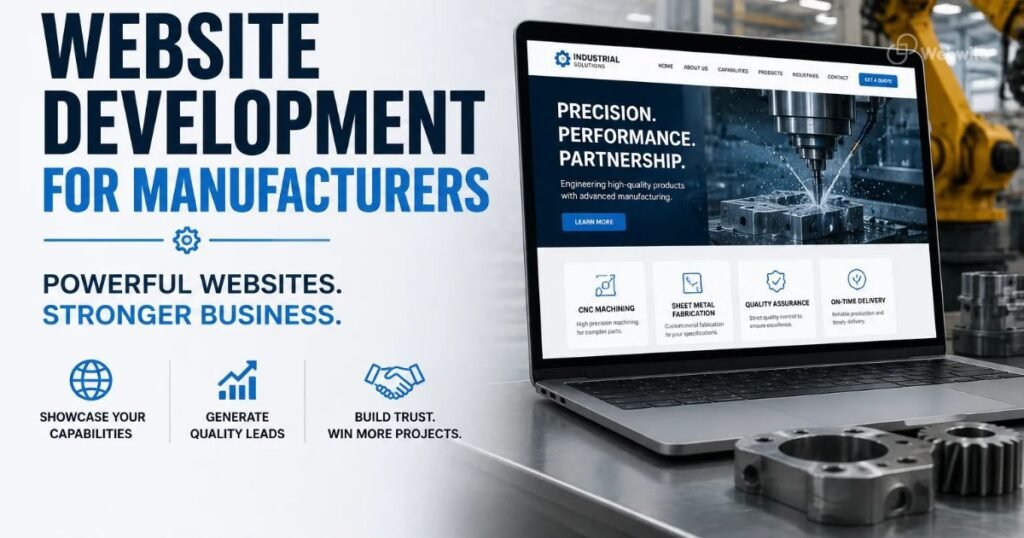

Your B2B website homepage is often the first place a potential buyer goes to understand your company. In a few moments, visitors should be able to work out what you offer, who you serve, why your business is credible and how to contact you.
A strong homepage is not simply a collection of attractive banners. It is a carefully ordered introduction that guides business buyers toward the information they need. This guide explains how to structure a B2B homepage for manufacturers, exporters, suppliers, wholesalers and other business-to-business companies.
1. Start With a Clear Headline
Your main headline should explain what your business does in plain language. Avoid generic statements such as “Welcome to Our Website” or “Your Trusted Partner.” Be specific about your products, services or industry.
For example, a manufacturer might introduce the product category it makes and the industries it serves. A supplier might explain the products it supplies to wholesale or industrial buyers. Keep the message accurate and easy to understand.
2. Add a Short Supporting Introduction
Use the text below your headline to add useful context: your key offering, target customers, capabilities or service area. Keep it concise and avoid filling the first screen with a long company history.
3. Make the Main Enquiry Action Visible
Give visitors a clear next step. Depending on your business model, this could be “Request a Quote,” “Enquire Now,” “View Products,” “Download Catalogue” or “Talk to Sales.” Make the primary action visually clear and link it to a working form or relevant page.
4. Show Your Main Product or Service Categories
Help buyers reach the part of your catalogue that matches their needs. Display the most important product or service categories with descriptive labels and links to dedicated pages. Avoid using unclear category names that only make sense internally.
5. Explain Who You Serve
Business buyers want to know whether you understand their industry and requirements. Include the industries, customer types or applications your business serves. Where appropriate, link to dedicated industry or application pages with more detailed information.
6. Highlight Your Capabilities
For manufacturers and suppliers, relevant capabilities may include production processes, customization, quality checks, packaging, order capacity or technical support. For service businesses, explain your delivery process, expertise and areas of specialization. Only include claims that you can substantiate.
7. Build Trust With Evidence
Include relevant certifications, quality standards, years in business, facilities, client examples, testimonials or markets served. Use genuine proof and keep it current. A few specific, verifiable trust signals are more useful than a long list of unsupported claims.
For more guidance, read Website Trust Signals That Matter Most for International B2B Buyers.
8. Add a Featured Products or Solutions Section
Show selected products or solutions that represent your main business. Each item should link to a detailed page with relevant descriptions, specifications, applications and an enquiry option. Do not try to display your entire catalogue on the homepage.
9. Include a Short About the Company Section
Introduce your business with a concise overview of your experience, focus and approach. Link to a detailed About page for visitors who want to learn more about your history, team, facilities or operations.
10. Show Your Process or How to Work With You
Explain the next steps after a buyer contacts you. A simple process might show enquiry, requirement review, quotation, confirmation and fulfilment. Adapt the steps to your actual sales process so buyers know what to expect.
11. Answer Common Buyer Questions
Add a small FAQ section covering questions that matter before an enquiry. Depending on your business, these may relate to product availability, customization, minimum order quantities, delivery regions, certifications or how to request pricing. Link to a fuller FAQ page if needed.
12. Make Contact Information Easy to Find
Include clear contact options in the header or another prominent area, as well as a complete contact section near the bottom of the homepage. Use the channels your sales team can reliably monitor. If you serve international buyers, make relevant location and business details clear.
13. Use a Helpful Footer
Your footer should make important information accessible from every page. Include links to product categories, key company pages, contact details, privacy information and relevant business profiles or social channels.
14. Keep Navigation Simple
Use a clear menu that helps visitors find Products or Services, Industries, About, Resources and Contact. The exact labels depend on your business. Avoid overcrowding the navigation with every page on the site; use logical dropdowns where necessary.
15. Make the Homepage Fast and Mobile-Friendly
Many buyers will first discover your company on a mobile device. Make sure the headline, navigation, product links and enquiry actions work on smaller screens. Optimize images, limit unnecessary scripts and test loading performance and forms on real devices.
16. Structure Content for Search Visibility
Use one clear main heading, descriptive section headings and useful internal links. The homepage should explain the business, but it should not try to rank for every product and service keyword. Create dedicated pages for important products, industries, applications and locations, then link to them naturally.
Explore WebWila’s SEO services for help with website structure, content and search visibility.
17. Connect the Homepage to Your Measurement Tools
Set up suitable analytics and search monitoring so you can understand how visitors use the homepage. Review clicks on key calls to action, visits to product pages, form submissions and the sources that bring relevant visitors. Use this information to improve the structure over time.
A Practical B2B Homepage Layout
- Header with logo, simple navigation and contact action
- Hero section with clear value proposition and primary CTA
- Short company introduction
- Main product or service categories
- Industries or applications served
- Capabilities and key differentiators
- Featured products or solutions
- Certifications, testimonials or other trust evidence
- How the enquiry or buying process works
- FAQs and final enquiry CTA
- Footer with contact and important links
This is a starting structure, not a fixed template. Put the information your buyers need most near the top, and adjust the order to suit your industry and sales process.
Common Homepage Mistakes to Avoid
- Using a vague headline that does not explain the business
- Showing a large decorative banner without a useful message or CTA
- Hiding product categories several clicks deep
- Making unsupported claims about quality, capacity or experience
- Overloading the homepage with too much text
- Using unclear navigation labels
- Ignoring mobile usability and page speed
- Forgetting to test contact forms and enquiry links
- Trying to target every search keyword on one page
Build a Homepage That Guides Buyers to the Next Step
A B2B homepage should answer the most important buyer questions quickly: what do you offer, who do you serve, why should a buyer trust you and how can they enquire? A clear structure makes those answers easier to find and helps visitors move into relevant product, service and industry pages.
WebWila helps manufacturers, exporters, suppliers, wholesalers and other B2B companies build websites focused on buyer experience, search visibility and qualified enquiries. Learn more about our B2B Website Development service or contact our team to discuss your website.
FAQs
What should appear at the top of a B2B website homepage?
Start with a clear headline explaining what the business offers, a short supporting introduction and a visible action such as requesting a quote or viewing products.
How long should a B2B homepage be?
There is no ideal fixed length. Include enough information to introduce the business, establish trust and guide buyers to relevant pages. Keep sections focused and avoid repeating the same message.
Should all products be displayed on the homepage?
No. Feature the most important categories or selected products and link to the full catalogue. Dedicated product pages provide room for specifications and other details buyers need.
Does homepage design affect SEO?
Homepage structure can help visitors and search engines understand your business and navigate the site. Strong SEO also depends on relevant dedicated pages, useful content, technical performance and other factors.
Final Takeaway
Your homepage is the starting point of the B2B buyer journey, not the entire journey. Make your offer clear, put important products and proof within easy reach, and give visitors a simple way to enquire. Then use real visitor behaviour and sales feedback to keep improving it.